Prepare your artwork for production
Prepare logos, colours, variable data and print files for custom wristbands and lanyards. Check the product template and approve your production proof.
Download artwork templates
Choose by size and construction. These English PDFs are layout references; confirm the match to your order before use. Follow the written dimensions, not the displayed page scale.
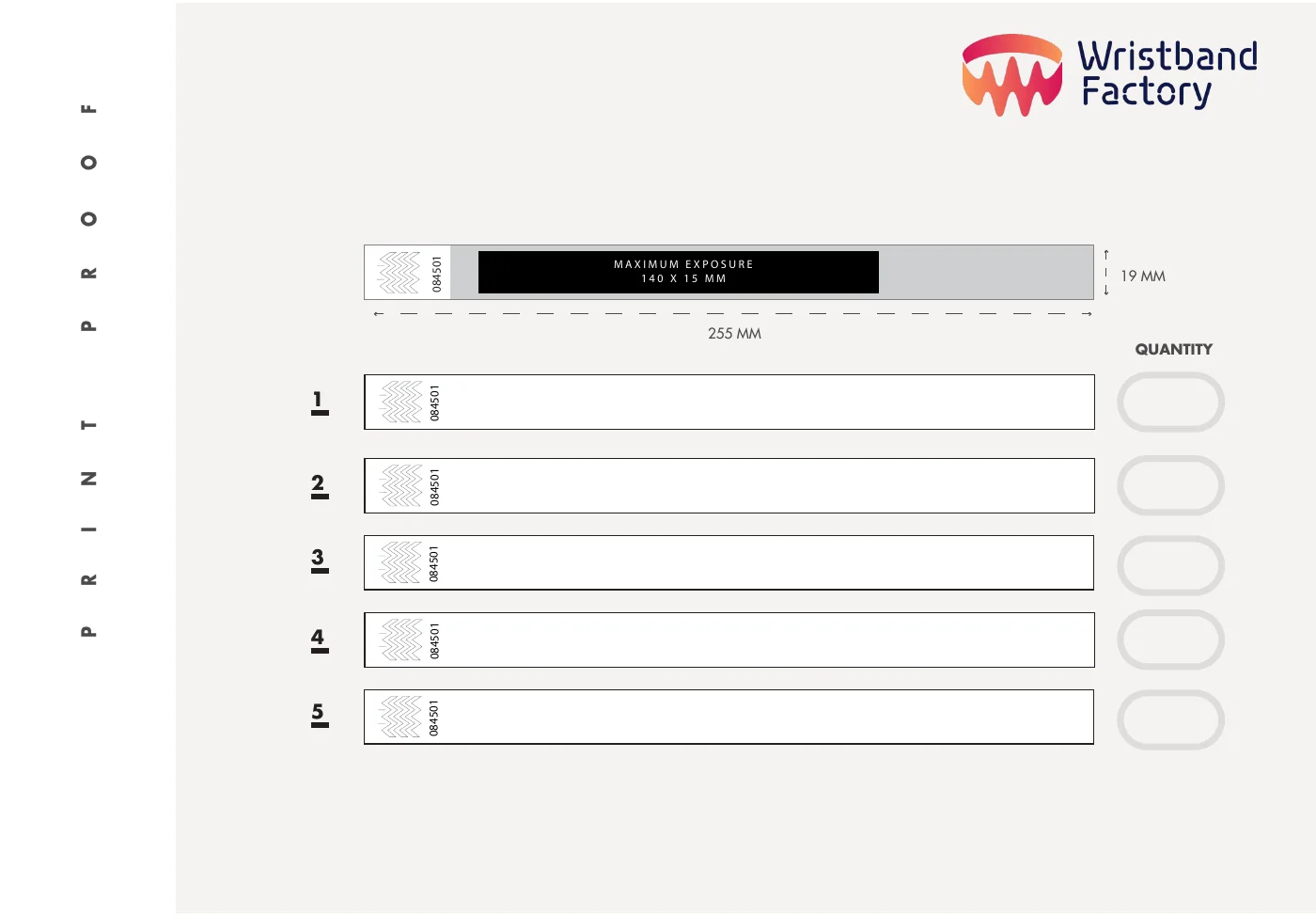
Tyvek: 255 × 19 mm
Print area: 140 × 15 mm. Five layout rows for different designs or quantity splits.
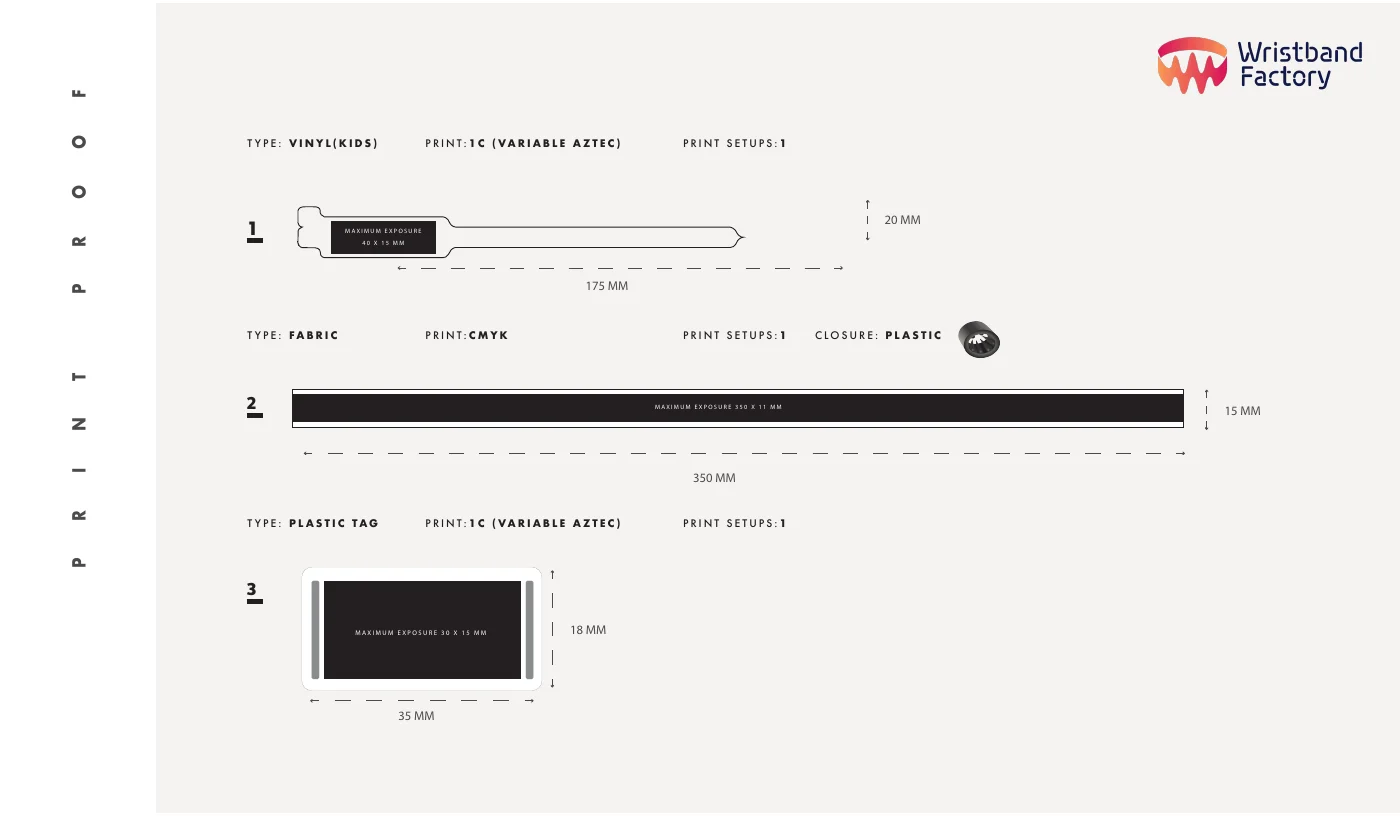
Fabric, vinyl and tag layouts
Fabric: 350 × 15 mm, print area 350 × 11 mm. Children's vinyl: 175 × 20 mm, print area 40 × 15 mm. Plastic tag: 35 × 18 mm, print area 30 × 15 mm.
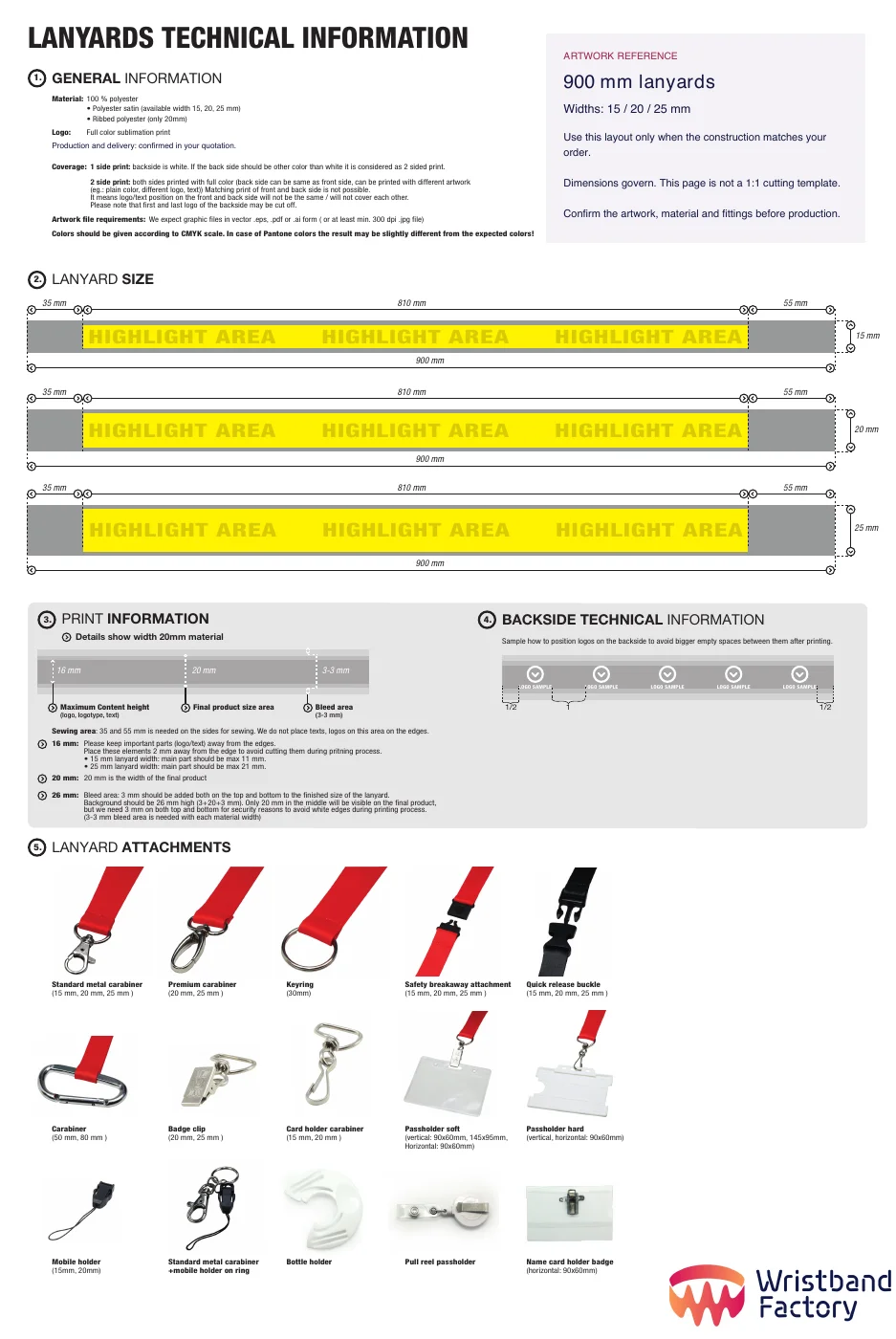
Sublimation lanyards: 900 mm
Widths 15, 20 or 25 mm; 3 mm bleed along both long edges. The PDF marks sewing areas and logo limits. Confirm the exact construction before use.
Working with these templates
- Keep dimensions, guide lines and sample numbers out of the final print artwork. Keep an editable copy and send a proof for approval.
- For the lanyard layout shown, the back artwork repeats; front and back logos do not align precisely. Confirm artwork placement around seams and fittings.
Need another size, closure or print method? Send the product link and specifications so we can supply the matching template.
Prepare the files
- Start with the template for your selected product and size. Ask us for it before placing the final artwork.
- Send an editable vector logo where possible, such as AI, EPS or a vector PDF. Placing a screenshot inside a PDF does not make it vector artwork.
- Convert fonts to outlines or include the required font information. Keep an editable original for corrections.
- Keep important text inside the template safe area. Use its specified bleed, print size and position; there is no universal margin for every product.
- State the required colours and print method. A screen preview is not a physical colour sample; agree any critical colour match before production.
- For photographs, fine details or woven designs, ask us to confirm suitability at the actual print size.
Check variable data
Supply names, numbers or codes in a structured file and identify the required sequence and quantity. Test QR codes at the final size with the intended destination. Share only the data needed for production.
Approve the production proof
Check spelling, orientation, dimensions, colours, logo position, quantities and any variable data. Confirm the exact proof version in writing. Changes after approval require a new check of feasibility and timing.